
The Demographics tab displays the number of responses received per demographic category. This is calculated based on how respondents have responded to demographic questions, or how user profiles have been populated by the account owner or administrator/s.
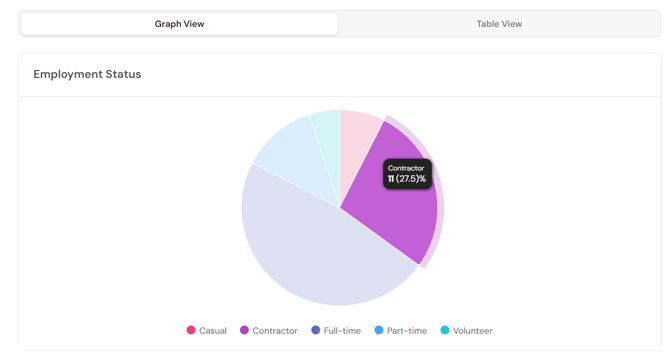
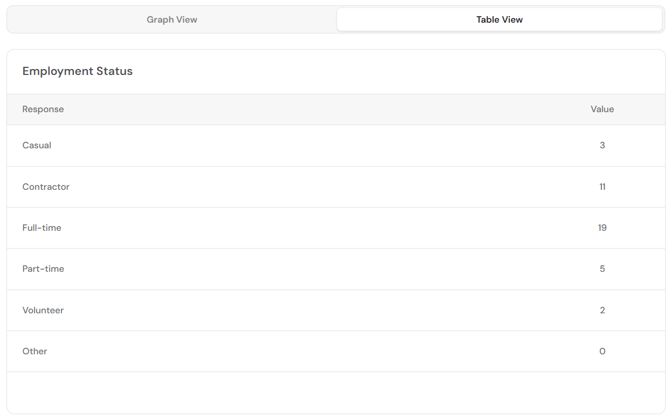
Each demographic field appears in a sub-menu on the left. The count of respondents within each field are presented in a graph view and a table view, which can be switched between using the tabs above the visualisation.
Hover over a section of the graph view to see the detail.
Return to How do I interpret my FlourishDx work factors risk assessment results?