
To make a demographic field hidden, first create the field and its associated items. Then, using the 3-dot menu next to the field name, select 'Set as Hidden'. A crossed out eye symbol will appear next to each hidden field.
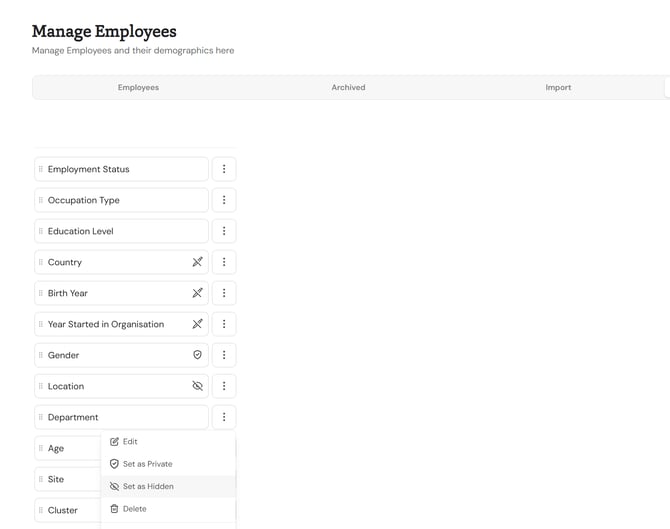
Hidden demographic fields are not visible when a user is filling their profile. Instead, an admin must fill it using the user details page or a csv upload.
To make a demographic field visible again, click the 3-dot menu again and select 'Set as Visible'.