
You will need to create a SAML application in your PingIdentity console:
Creating a Ping Identity SAML Application for FlourishDx
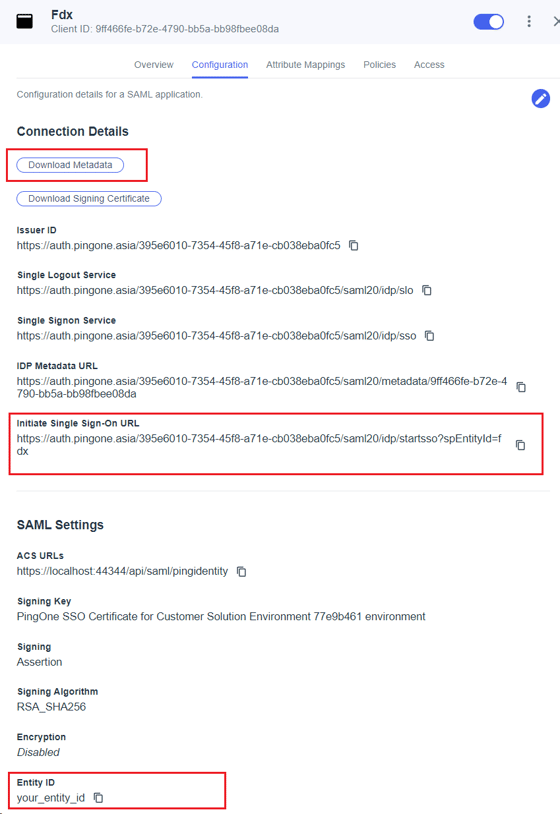
From your PingIdentity console, you will need the following:
-
Initiate Single Sign-On URL
-
Entity ID (the one you entered earlier)
-
Download Metadata
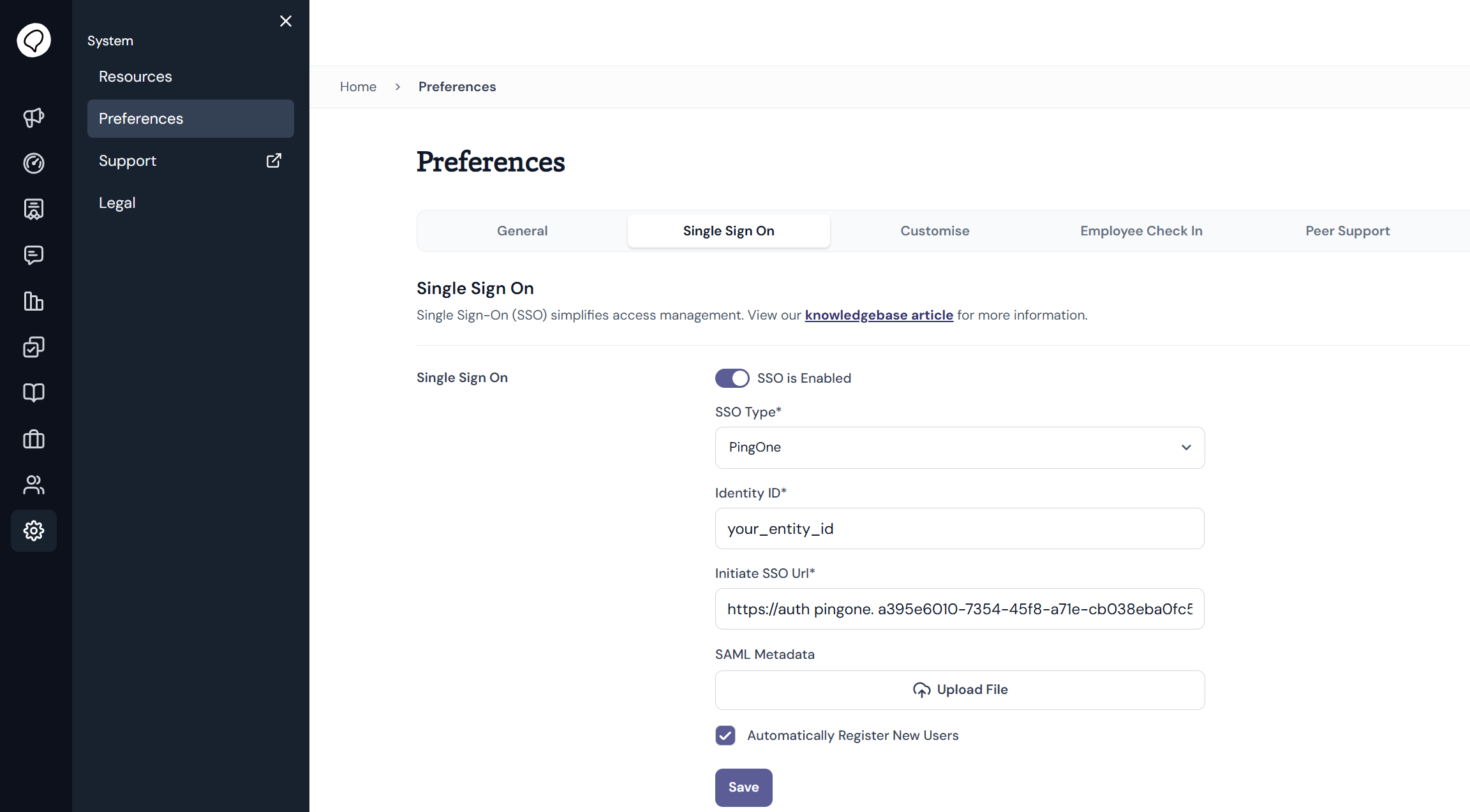
- In the FlourishDx admin dashboard, navigate to System > Preferences > Single Sign On
- Click toggle to SSO is Enable SSO
- Select PingOne
- Enter Initiate Single Sign-On URL
- Enter Entity ID
- Upload your Metadata XML file
See Using SAML Single Sign On with with Ping Identity for FlourishDx for information about the integrations works in FlourishDx.