
Within your FlourishDx platform, every person with an account also has a user profile. This includes the mandatory user fields of first name, last name, and email address (the unique identifier).
Demographic fields are used to apply filters to the data displaying in the live dashboards, to identify patterns of responses within different groups. All demographic fields created in the admin dashboard populate to the user profile. Demographic fields are customisable and typically include information like location, role, team, department, and tenure. These fields can also be used to collect individual demographic information like age and gender.
All user profiles are visible in the admin dashboard to the account owner and administrators, and to relevant line managers where permissions are enabled. This means that anyone with the right permissions can see how users have responded to demographic questions. The image below (taken from our sample account, not a real user) shows how user profiles appear within the admin dashboard.
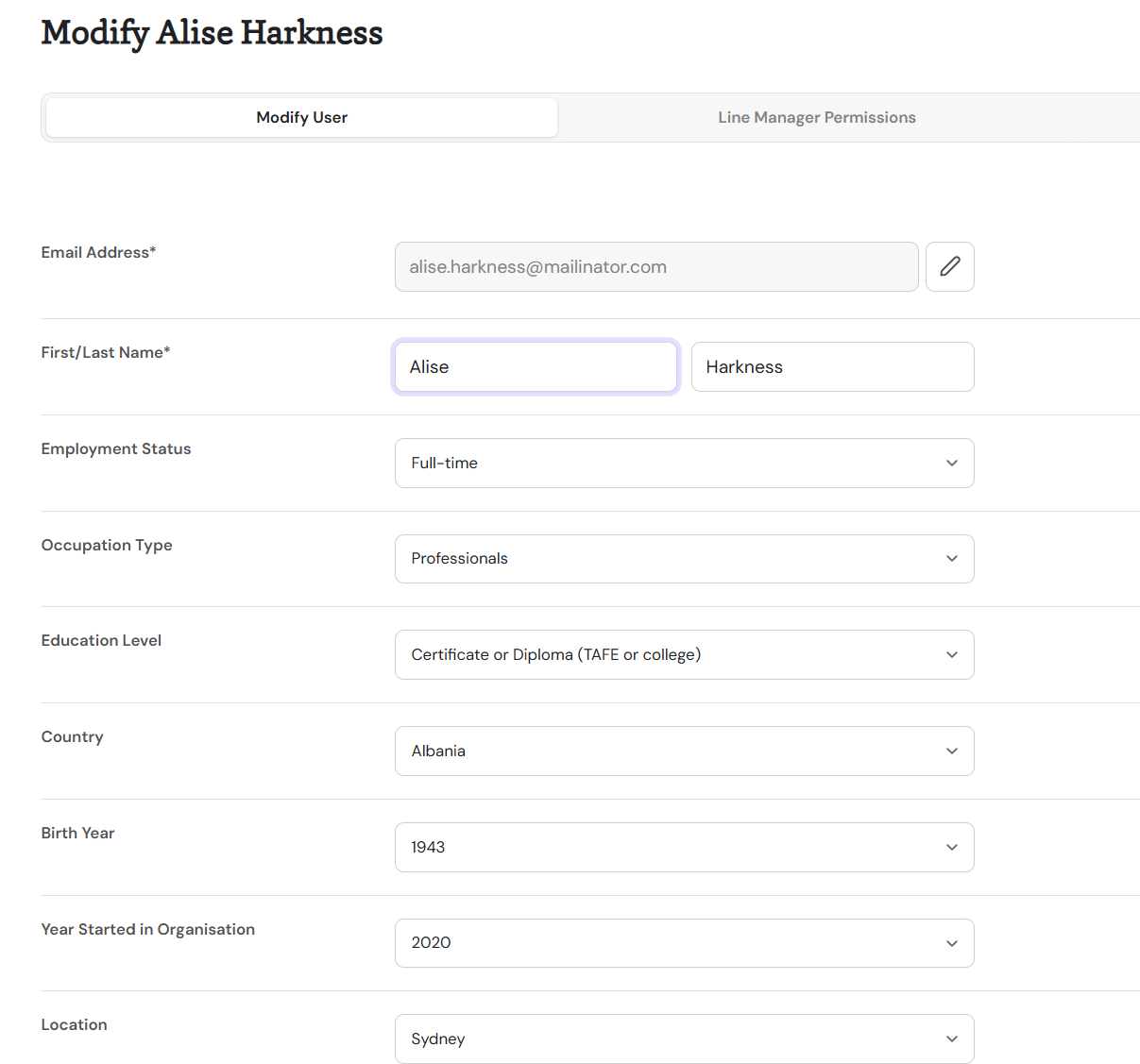
For most of the demographic data collected, this is not a problem. But where demographic fields include potentially sensitive information, this should remain private. Of the standard demographic fields included in the FlourishDx account, gender is private by default.
To make a demographic field private, first create the field and its associated items. Then, using the 3-button menu next to the field name, select 'Set as Private'. A shield symbol will appear next to each private field.
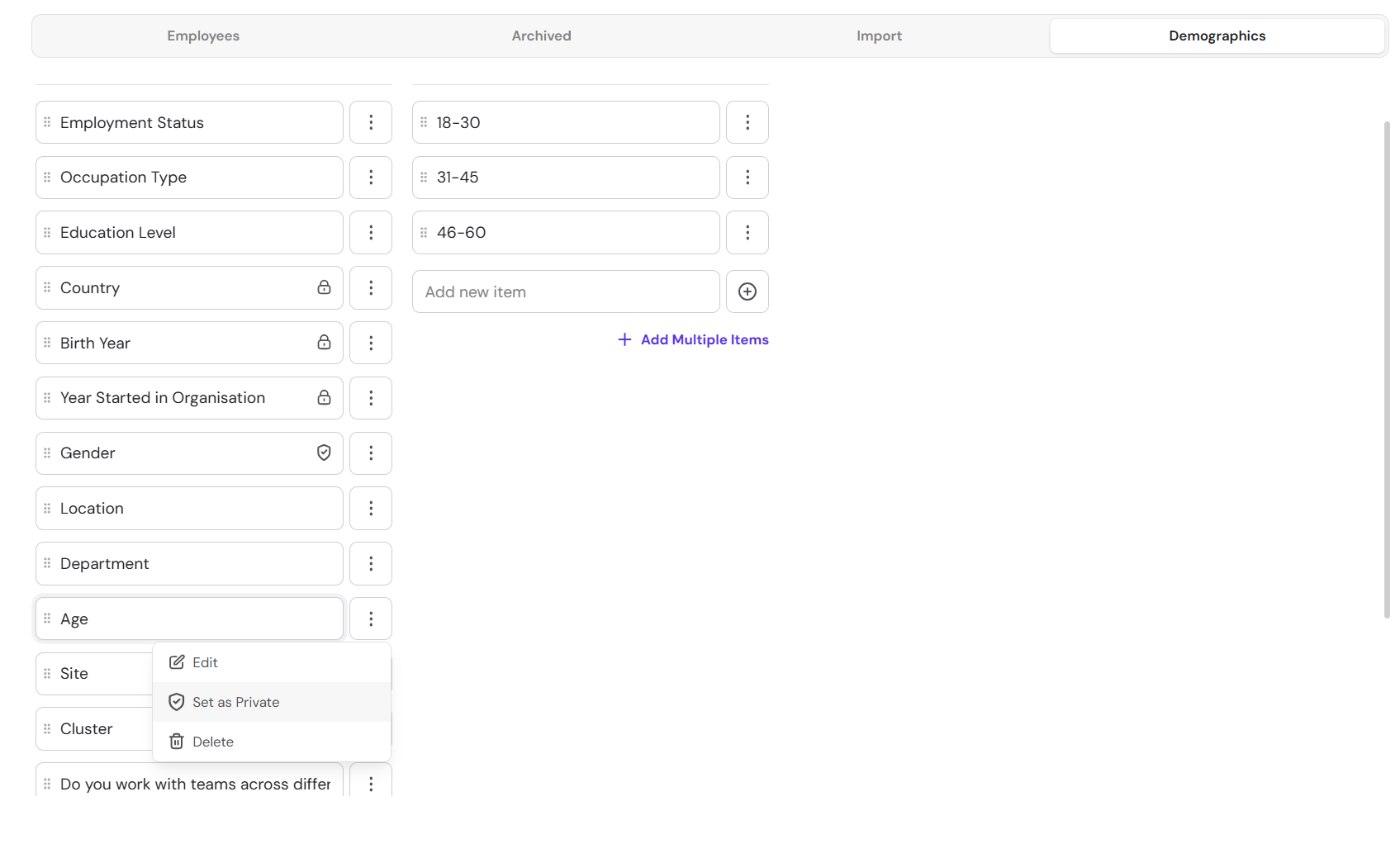
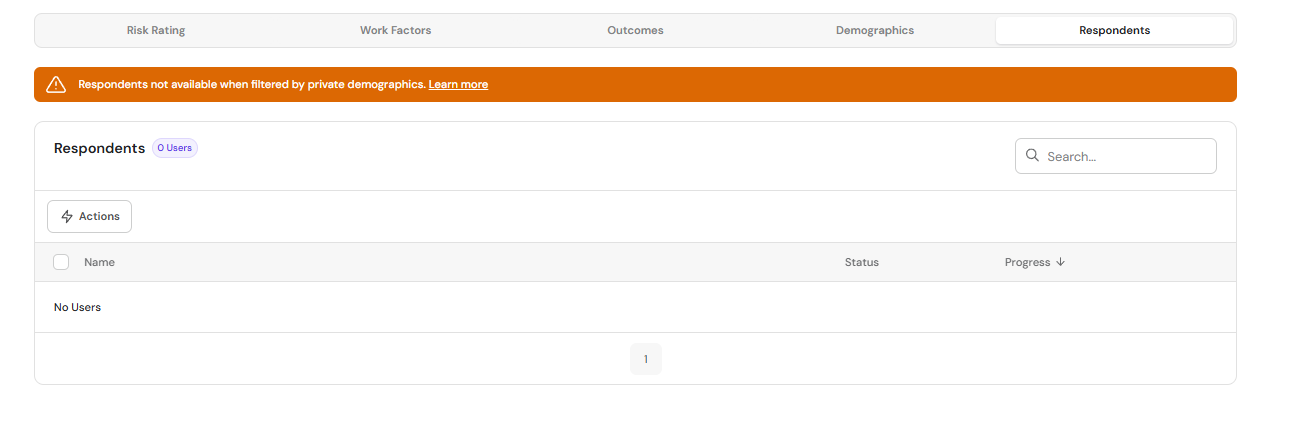
Private demographic fields will continue to operate as filters for aggregating data within live dashboards, but are not visible within user accounts. These fields will also not appear within the CSV export/uploader, users cannot be searched using the private demographic, and when filtering survey analytics by private demographics, individual users will not be displayed:
If you have made a demographic private and you want to reverse the change, please contact support@flourishdx.com